Yes.
For obvious reasons, most people think the freeipods.com website is a scam. I assure you, it's for real. If you want to put in some time, you can get it.
Here's how it works:
1) You
sign up with freeipods.com for yourself
2) You complete one offer
3) Get five friends to sign up to freeipods.com with your referral link
4) They each complete one offer
5) You do some amount of waiting and checking, and eventually it's at your door
Try it for yourself. They're also doing a
FreeGamingSystems,
FreeiPodShuffle,
FreeMiniMacs, and many more.
Here are a few important things to keep in mind if you're planning on doing this; and tell this to the people that sign up under you.
1)
Be sure to use the correct referral link when initially signing up. It looks something like
http://www.freeiPods.com/?r=9517833. It should list the referral ID of the referrer in the space above where you enter a E-mail and password. If not, repaste the url and try again. If you sign up without the referrer, they won't go back and change it for you. Nor can you delete the account. After signing up, make sure the person that referred you has you under their list. If not, I'd wait until it does show up.
2) The first time you sign up, after you enter your contact information, they show you a LOT of offers. These are
not the offers that you need to complete. Just say no to all of them. The offer you need to complete will be under the link
Complete Offer.
3) Disable pop-up blockers when signing up for one of the offers. If you've installed Windows Service Pack 2, it may block pop-ups by default. Go to Tools -> Pop-up Blocker -> Turn Off Pop-up Blocker. Or if you're using a Google/Yahoo! toolbar, disable it there. You don't want to take any chance of their javascript not working and thereby not crediting you properly.
4) Find the offers that don't require any money up front. Most of the offers will require that you have a credit card, which is OK, as long as it's free. Try the free trials, but just be sure to cancel it before the trial period ends. Most of the problems arise when people don't cancel the services in time and the company starts charging you when the trial period is over. Or try applying for the credit cards.
5) Have patience. They are a small crew and are swamped with requests up the wazoo. But be persistent when you are having legitimate problems. If you have all the requirements and they put you on hold for any reason, ask them often through their
Help section why it is on hold and demand explanations.
If you need more help,
FreeiPodGuide is a great resource for all the free sites.
I have already received a free iPod as well as a free flat screen TV from them. It works!
Photos of my free iPod.




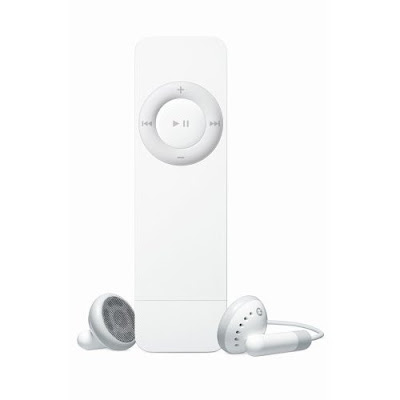
 that I'm listening to right now. That's how I feel about using this new iPod. I don't want to worry about getting every song onto my iPod... I just throw in my favorite songs quickly... and go. The flash drive doesn't copy songs as fast as it's older brothers' hard drive, but the convenience of the size and weight makes up for it. Another feature that I love is the instant USB drive. Just remove the cap and plug it into the USB port. When my friends get together, we take lots of pictures but I can never get it from the bastards. Now, when we get together, we're gonna transfer all the photos to one laptop, then copy them to our shuffles. Instant gratification!


 is not what you think. The iPod doesn't wear it over its feet because, well, the iPod doesn't have feet. Instead, the Socks is a soft case for the iPod. You slip your iPod in, and go.
 , which requires you to remove all but the iPod itself to connect. What doesn't it do? It does not protect your iPod from falls. It does not let you see the screen while it's on, and although you can still press the buttons, you have to guess which is which (but if you can't remember which button does what, please check for Alzheimer's). It does not have a clip for easy (and dorky) travel.


 Posts
Posts

